
Reels Maker for Instagram BEAT
Mobile Presets & FiltersPhotography
4.4196.00 Reviews
- Version
- 1.13.0
- Installs
- 1.00M
- Age Rating
- Everyone
Screenshots
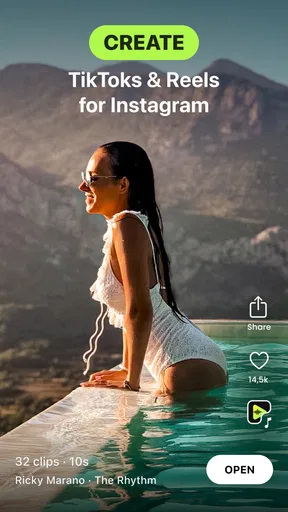
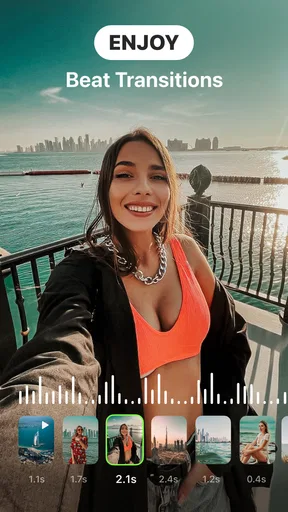
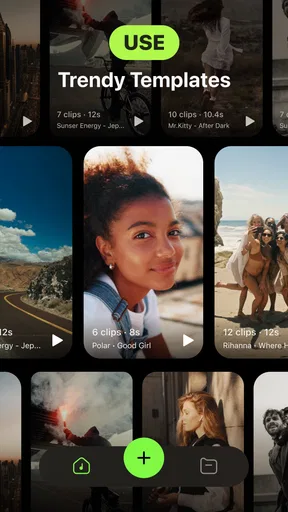
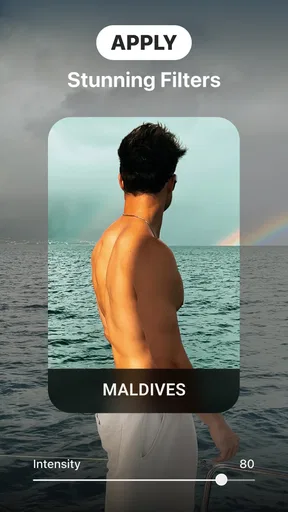
Our Review of Reels Maker for Instagram BEAT
 Analysis by Appyee
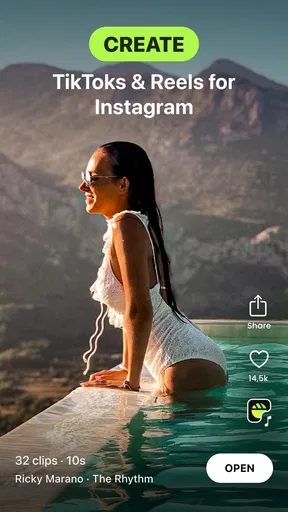
When I’m choosing a quick video editor, I care less about a long feature list than about how soon I can turn a few clips into something worth sharing. Reels Maker for Instagram BEAT is built around that shortcut: templates, visual treatments and music aimed at short-form Instagram videos. I find that focus useful when I have an idea but not the time or patience to assemble every edit from scratch.
It is a free photography app from Mobile Presets & Filters, with optional in-app purchases ranging from $8.99 to $99.99 per item. Its 4.6 average across 26K ratings and more than 1M installs suggest that plenty of people have tried it, though popularity alone cannot tell you whether its editing style suits your taste. I’d approach it as a convenient creative tool, not as a replacement for a full desktop editor.
How quickly can you get from clips to a reel?
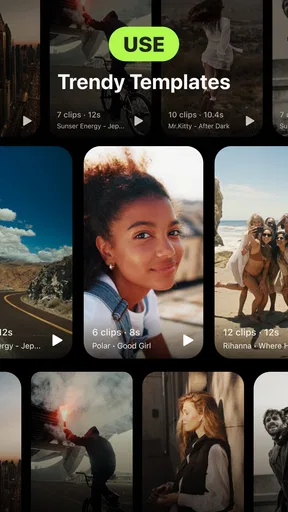
The template-first approach is the main reason I’d open this app when speed matters. Instead of starting with a blank timeline and deciding every cut, I can begin with a ready-made visual direction, then see whether it fits my footage. That reduces the number of creative decisions at the start, which is especially handy when I’m making a casual post rather than a carefully planned campaign.
There is a trade-off: a template saves setup time, but it also sets a rhythm and look that may not match every clip. I’d preview the whole sequence before committing to it. Footage with a clear beginning, middle and end is easier to adapt than unrelated clips, and a few well-chosen shots usually work better than trying to force every moment from an outing into one reel.
Music can help make a sequence feel intentional, but I wouldn’t treat a track as a substitute for pacing. I’d first choose the moments I want people to notice, then adjust the edit around those moments. That small change in workflow can make a template-based result feel more personal rather than like a preset applied without thought.
Where it fits into a busy editing routine
A realistic use for me would be pulling together a short recap after a day out: a few clips of the place, a detail or two, and one closing shot. I’d choose a template that fits the footage, add a music choice that supports the mood, and keep the sequence focused. That is a better match for this kind of app than trying to turn a large camera roll into a polished documentary.
I’d also use it for a small business or hobby account when the goal is a regular, visually consistent stream of short posts. A template can give several clips a shared style without requiring me to invent a new visual language each time. The useful trick is to vary the footage and text rather than repeating the same structure so often that the account starts to feel mechanical.
For a one-off post, I’d keep a copy of the original clips outside the edit and make a rough selection before opening the app. That avoids spending time scrolling through unrelated footage while trying to make creative decisions. It also gives me room to try a different template if the first one makes the clips feel cramped or out of order.
What it does well, and where I’d use another editor
Compared with the usual alternatives, this sits between Instagram’s own quick creation tools and a more involved editor with a detailed timeline. The appeal is having templates and editing choices in one focused place; the compromise is that a template-led workflow may offer less freedom than manually building every beat and transition. If I wanted fine control over a complex sequence, layered sound or a carefully matched brand style, I’d reach for an editor designed around deeper timeline work.
It is also not the right fit if I rarely make short videos or dislike edits that have a visibly preset feel. In that case, Instagram’s built-in tools may be enough for a simple post, and there is little reason to add another app to the routine. I’d try this when I specifically want a more shaped, music-led reel, rather than assuming every video benefits from extra effects.
One practical decision is whether to add text and stickers at all. They can make a clip more expressive, but too many competing elements can obscure the footage, particularly on a small phone screen. I’d use text for a clear purpose—such as identifying a place or giving a clip context—and check that it remains readable against the image before exporting.
Getting Started with Reels Maker for Instagram BEAT
First things first, let’s talk about getting started. Downloading the app was a breeze, and it's available on both Android and iOS. Once I fired it up, I was greeted with a sleek and intuitive interface that felt like a breath of fresh air. No complicated menus or overwhelming options – just straightforward tools ready to transform my creative vision into reality.
Features that Stand Out
Reels Maker for Instagram BEAT is packed with features that make video editing not just easy but genuinely fun. The app offers a range of templates that are perfect for those days when you’re just not feeling inspired. With a few taps, I was able to create professional-looking reels that made my content pop.
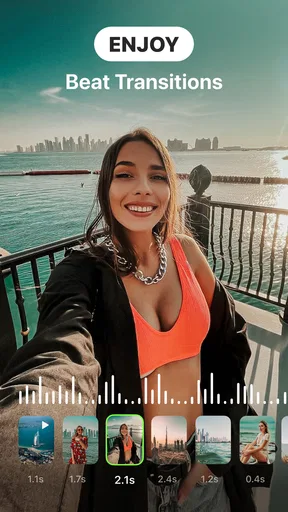
One of my favorite features is the extensive music library. Whether you're into pop, rock, or something more eclectic, there's something for everyone. Adding a catchy beat to my reel was as simple as selecting a track and adjusting the timing to sync perfectly with my video. Talk about user-friendly!
Editing Tools Galore
Now, let’s dive into the nitty-gritty – the editing tools. The app offers a plethora of options that cater to both beginners and seasoned editors. I loved how I could effortlessly trim, cut, and merge clips. The transitions are smooth as butter, giving my reels a professional touch.
Plus, the filters and effects are top-notch. Whether I wanted a vintage vibe or something more modern and sleek, Reels Maker for Instagram BEAT had me covered. The app also allows for text overlays and stickers, which added a playful element to my videos. The customization options are virtually endless, making it a perfect playground for creativity.
Exporting and Sharing
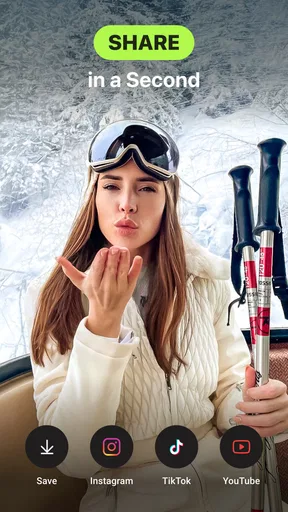
Once I was satisfied with my creation, exporting the video was a straightforward process. The app supports high-quality exports, ensuring that my reel looked crisp and vibrant on Instagram. Sharing directly to the platform was seamless – just a couple of taps and my masterpiece was live for the world to see.
I also appreciated how the app allows for saving drafts. This feature came in handy when I wanted to revisit and tweak my videos later. No more starting from scratch if I ran out of creative steam halfway through!
Why Choose Reels Maker for Instagram BEAT?
So, why should you give this app a whirl? Well, if you’re looking to elevate your Instagram reels with minimal fuss, this app is a no-brainer. It combines powerful editing tools with a user-friendly interface, making it accessible for everyone – from newbies to seasoned influencers.
The cherry on top is the app’s ability to make editing feel less like a chore and more like a creative escape. Whether you’re documenting your travels, showcasing your art, or just having a bit of fun, Reels Maker for Instagram BEAT is a trusty sidekick that helps bring your vision to life.
So, what are you waiting for? Dive in, unleash your creativity, and let your reels do the talking. Happy editing!
Stability, storage and a sensible editing workflow
For perceived speed, I’d separate the work into two parts: choosing an idea and processing the finished video. Templates can make the first part feel quick, but editing and exporting still depend on the length and complexity of the material and the phone being used. I wouldn’t assume every project will finish instantly. For a smoother session, I’d start with the strongest clips, trim them before adding decorative elements, and avoid making lots of changes at once without checking the result.
When I’m working with several clips, I’d save or review the draft at natural stopping points rather than waiting until the very end to decide whether the sequence works. That makes it easier to spot a weak transition or a shot that lingers too long while the edit is still manageable. If a change makes the reel feel less clear, I can reconsider that choice without rebuilding the entire idea.
Heavy editing can also make a phone feel busier, especially if the source videos are large or I have other apps competing for attention. I’d close tasks I don’t need and leave enough free storage for the source material and exported copy. Those are general precautions, not a promise that every device will behave the same way; a shorter test edit is a practical way to see how the app feels on your own phone before committing to a long project.
What to expect on different phones
The app’s current version is 1.11.1, and it is intended for devices running Android 10 or later. That minimum gives prospective Android users a useful compatibility check, but it doesn’t mean every supported phone will offer the same editing experience. Older or entry-level hardware may take longer with demanding footage than a newer device, so I’d keep early projects short and judge performance from an actual export rather than from the editing screen alone.
The app is also available on iOS. If you switch between devices or want to finish a project on a different platform, I would not assume that drafts or project settings automatically move across; I’d keep the original video clips available until the final export is safely saved. That simple habit protects the work if I need to rebuild an edit or choose a different tool.
Its content rating is Everyone, which makes the app broadly suitable from an age-rating perspective, but that says nothing about whether its style fits a particular creator. New editors may appreciate starting with templates and making one change at a time. More experienced editors can use it for quick social posts, while keeping a more precise editor for projects where exact timing, layered audio or detailed control is essential.
Music, drafts and avoiding last-minute surprises
Before settling on a soundtrack, I’d check that the selected music supports the footage rather than overpowering it. A quick preview with the phone’s volume at a normal listening level can reveal whether the pacing feels natural. If the cut only seems to work when watched repeatedly or at full volume, I’d simplify it; a clean sequence is often more effective than trying to sync every transition to every beat.
Drafts are useful as a work-in-progress, but I’d still treat the exported video as the dependable finished copy. I’d make a test export before spending time polishing small details, then watch that file from beginning to end. This catches issues that may be easy to miss while editing, such as text sitting over an important part of the image or a closing shot that arrives too abruptly.
The free starting point makes it easy to see whether the workflow suits you, while the in-app purchases mean some costs may arise as you explore. Individual items range from $8.99 to $99.99, so I’d check what an offered purchase includes and whether I genuinely need it before paying. If the basic tools already cover your occasional reels, there is no reason to buy extras just because they are presented during a creative session.
Who will get the most from it?
I’d recommend trying it if you post short videos regularly, want a guided way to give clips a music-led look, or find a blank editing timeline more tiring than enjoyable. It is particularly useful for creators who need a repeatable process: select a small group of clips, choose a visual direction, refine the sequence, and export. That routine can make casual content feel deliberate without turning every post into a major editing project.
I’d skip it if your priority is precise control over every frame, a complicated multi-layer production, or a workflow built around extensive manual color and sound work. It may also be unnecessary if you only make an occasional simple reel and are already happy with Instagram’s own editor. In those cases, using fewer tools can be the better choice: less setup, fewer creative decisions and no pressure to add effects that the footage does not need.
Overall, I see this as a focused shortcut rather than an all-purpose video studio. Its strongest case is helping me move from a handful of phone clips to a more considered social video, with templates and music offering a starting point instead of a blank page. My performance verdict is deliberately practical: keep projects modest, preview before exporting, and judge the result on your own device. If that balance of speed and guided creativity matches how you make reels, it is worth a try; if control matters more than convenience, a deeper editor will serve you better.
Verdict
Strengths of Reels Maker for Instagram BEAT
- User-friendly interface for easy video editing.
- Wide range of templates for creative reels.
- Integrated music library for perfect soundtracks.
- High-quality export options without watermarks.
- Frequent updates with new features and effects.
Limitations of Reels Maker for Instagram BEAT
- Limited free version features available.
- Occasional in-app advertisements can be intrusive.
- Requires internet for full functionality.
- Some templates may seem repetitive over time.
- Music selection can be limited without subscription.
Other Releases by Mobile Presets & Filters
View All
Presets for Lightroom — FLTR
Photography4.6
Similar Picks in This Category
View All
Google Photos
Google LLC4.4

Gallery
Google LLC4.2

Picsart AI Photo Editor, Video
PicsArt, Inc.3.9

B612 AI Photo&Video Editor
SNOW Corporation4.1

BeautyPlus-Selfie Photo Editor
PIXOCIAL TECHNOLOGY (SINGAPORE) PTE. LTD.4.5

Remini - AI Photo Enhancer
Bending Spoons4.1
You May Also Like
View All
Frequently Asked Questions
What features does Reels Maker for Instagram BEAT offer?
Reels Maker for Instagram BEAT provides a wide range of features, including easy-to-use editing tools, a vast library of music, transition effects, and customizable templates. It also supports high-resolution video exports and seamless sharing options directly to Instagram. Users can create engaging content effortlessly, making it perfect for both beginners and experienced creators.
Is Reels Maker for Instagram BEAT free to use?
While Reels Maker for Instagram BEAT offers a free version with basic features, it also includes premium options that require a subscription. The premium version unlocks additional tools, music tracks, and effects, providing a more comprehensive experience. Users can explore the free version before deciding if the premium features meet their creative needs.
How user-friendly is Reels Maker for Instagram BEAT?
Reels Maker for Instagram BEAT is designed with user-friendliness in mind. Its intuitive interface allows users to easily navigate through tools and features. The app includes tutorials and guides to help newcomers get started quickly, ensuring that even those with minimal editing experience can create professional-looking reels effortlessly.
Does Reels Maker for Instagram BEAT support all video formats?
Reels Maker for Instagram BEAT supports a variety of popular video formats, ensuring broad compatibility with most smartphones and devices. However, it's recommended to check specific format support within the app settings or help section to ensure seamless editing and exporting of your videos without any issues.
Can I use my own music with Reels Maker for Instagram BEAT?
Yes, Reels Maker for Instagram BEAT allows users to import their own music tracks to enhance their reels. This feature provides additional creative freedom, enabling users to personalize their content. However, it’s important to ensure that any music used complies with copyright regulations, especially when sharing on public platforms.
